
MicLock
Downloads
The detection value may not be always accurate. However, at the time of updating this, it is.
Info
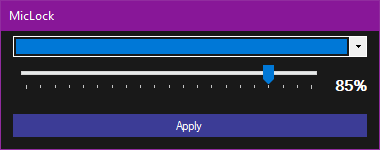
This application prevents every other program from changing your microphone volume by locking it to the specified volume.
It snuggles itself into the tray and stays there until you interact with it.
To change your microphone volume while using this application, right click the fortunevale icon in the taskbar and click on "Set a new volume".
By default this application DOES NOT start automatically when starting your pc, to make it do that, right click the fortunevale icon in the taskbar and click "Add to autostart.."
Remember to not leave it in the downloads folder to prevent accidental deletions, this is a portable tool and does not install somewhere.
Changes in 1.0.2
* the application no longer interrupts shutting down or logging off
Changes in 1.0.1
* fixed crash on first start up when no config file is present.
+ version indicator